Tag Archives: jquery

Event driven programming with jQuery – (part 1). What is event driven?

What is event driven?

Actually the real power of JavaScript libraries and in particular in jQuery is the usage of custom events. There you have the full power to implement what is called event driven programming. This of course is not a must. You can simply make a small js application with no usage of custom events at all. The problem is that in large scale js applications the development becomes really hard and difficult to maintain.

In fact all the major JavaScript libraries come with built in mechanisms to develop apps with custom events. And if you plan to make very large website, i.e. entirely on AJAX, whatever js library you use, you better start with making your app event driven.

That in very breve means that the different modules of the page must interact between themselves only by firing and listening for events. So you can fully change your page layout with no need to rewrite the code again and again. Continue reading Event driven programming with jQuery – (part 1). What is event driven?

jQuery – stop an ajax call!

It’s a simple task with no simple question, although in jQuery, as I mentioned now, everything is very simple. Even this task.

In a short example we’ve a simple AJAX call with very large request.

xhr = $.ajax({
    url : 'www.example.com?some-large-call',
    success : function(responseText) {
        // some DOM manipulation
    }
});

But what if something changes the data we’d like to request with this call even before the response has come. For example I click on a category in the site but before all the data has come I’d prefer to see other category’s data. Continue reading jQuery – stop an ajax call!

jQuery: check whether image is loaded

Wait for the image!

This is common task. You’d like to load an image and then show it. With jQuery that is simple enough. Let’s assume this code:

<img src="image.jpg" />
<div>displayed after the image is loaded</div>

This is OK if the div is hidden with jQuery you can show it with adding this code in your javascript:

<script>
    $('img').load(function() {
        $('div').show();
    });
</script>

cancel bubbling on element click with jQuery

When you click over an element

This is easy, on the element can be attached event listener an such event listener is built in as the click event is. It’s simply like that:

<div click="func1()"></div>

This with jQuery

A bit different with jQuery, but with the same effect is:

$('div').click(func1);

When there is a bubbling?

Well, if you just copy paste this code in your page:

$(document).click(function() 
    console.log('clicked on the document');
});
$('div').click(function() 
    console.log('clicked on the div');
});

Note: if you’re using Firefox keep the console.log function, in other case you may replace it with either alert or $.log from the recent jQuery plugin i wrote.

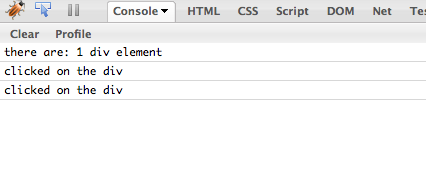
Now if you click over the div element you get both messages, cause there is no bubble canceling. If you’d like to add such canceling, just add this code to the click callback for the div element:

return false;

and now the code should look like:

$(document).click(function() 
    $.log('clicked on the document'); 
});
$('div').click(function() 
    $.log('clicked on the div'); return false;
});